
What IPTV Smarters Pro is
IPTV Smarters Pro is a player made by WHMCS Smarters. Like TV Flow, it comes with no channels: you enter the M3U link or the Xtream Codes login from your own provider. It covers more devices than almost any other player, and its feature list is long: live channels, films and series, a programme guide, catch-up, parental control, several playlists, picture in picture and support for external players.
Why people look for an alternative on a computer
- It is not in the usual stores. The desktop versions for Windows and macOS are downloaded from the maker’s own website, not from the Microsoft Store or the Mac App Store, and the maker’s page states that the app is not on Google Play. On Apple’s App Store the same company publishes it under a different name, Smarters Player Lite.
- Copies are everywhere. Searching a store for “Smarters” returns look-alike apps from other publishers, and the maker’s own page carries a warning about imitations. When we checked on 6 October 2026, the address most guides link to (iptvsmarters.com) did not open at all, which makes it harder still to know that you have the real thing.
- It was designed for a remote control first. The layout is the one you see on a TV box: large tiles and deep menus. It works with a mouse, but it does not feel like a desktop program.
- Language. The App Store listing names English as its only language.
None of this makes Smarters a bad player. If you already have the genuine desktop version installed and it plays your list well, there is no need to change.
TV Flow and IPTV Smarters Pro, side by side
| TV Flow | IPTV Smarters Pro | |
|---|---|---|
| Runs on | Mac (Intel and Apple silicon, macOS 11 or later) and Windows 10/11, as a desktop program | Windows and macOS programs from the maker’s own site; also Android, Samsung and LG TVs, the web, and Apple devices under the name Smarters Player Lite |
| Price | $19.99 once, for life, after a free three-day trial | Free. On Apple devices, a $1.99 upgrade inside the app |
| Playlists it opens | M3U link or file, Xtream Codes login | M3U link or file, Xtream Codes login |
| Stalker / MAC portals | No | Not listed by the maker |
| Films and series | A library with posters and ratings; series by season and episode | Yes, films and series sections |
| TV guide | Now and next on each channel (Xtream logins); no full grid | Yes |
| Catch-up | No | Yes |
| Arabic interface | Complete, right to left | The App Store listing names English only |
| Parental lock | PIN lock for groups and collections | Yes |
Where IPTV Smarters Pro is the better choice
- You want catch-up. If your provider offers it, Smarters can play earlier programmes. TV Flow cannot.
- You want the same app on every screen. Smarters covers phones, tablets and TVs. TV Flow is for Mac and Windows only.
- You do not want to pay. Smarters is free on a computer. TV Flow costs $19.99 once, after a three-day trial.
Where TV Flow is the better choice
- One download, from one place. TV Flow for Mac and Windows comes from tvflow.app. The Mac version is signed and notarised by Apple, and the app updates itself.
- Built for a computer. A window you can resize, instant search across thousands of channels, your own collections of channels, and a home screen that picks up where you stopped.
- A real library. With an Xtream login, films appear with posters and ratings and every series is laid out by season and episode.
- Arabic done properly. The whole interface runs right to left in a typeface drawn for Arabic, and switches to English in one click.
- Less clutter. Channels that would not play are hidden for you, and a quality filter trims duplicates of the same channel.
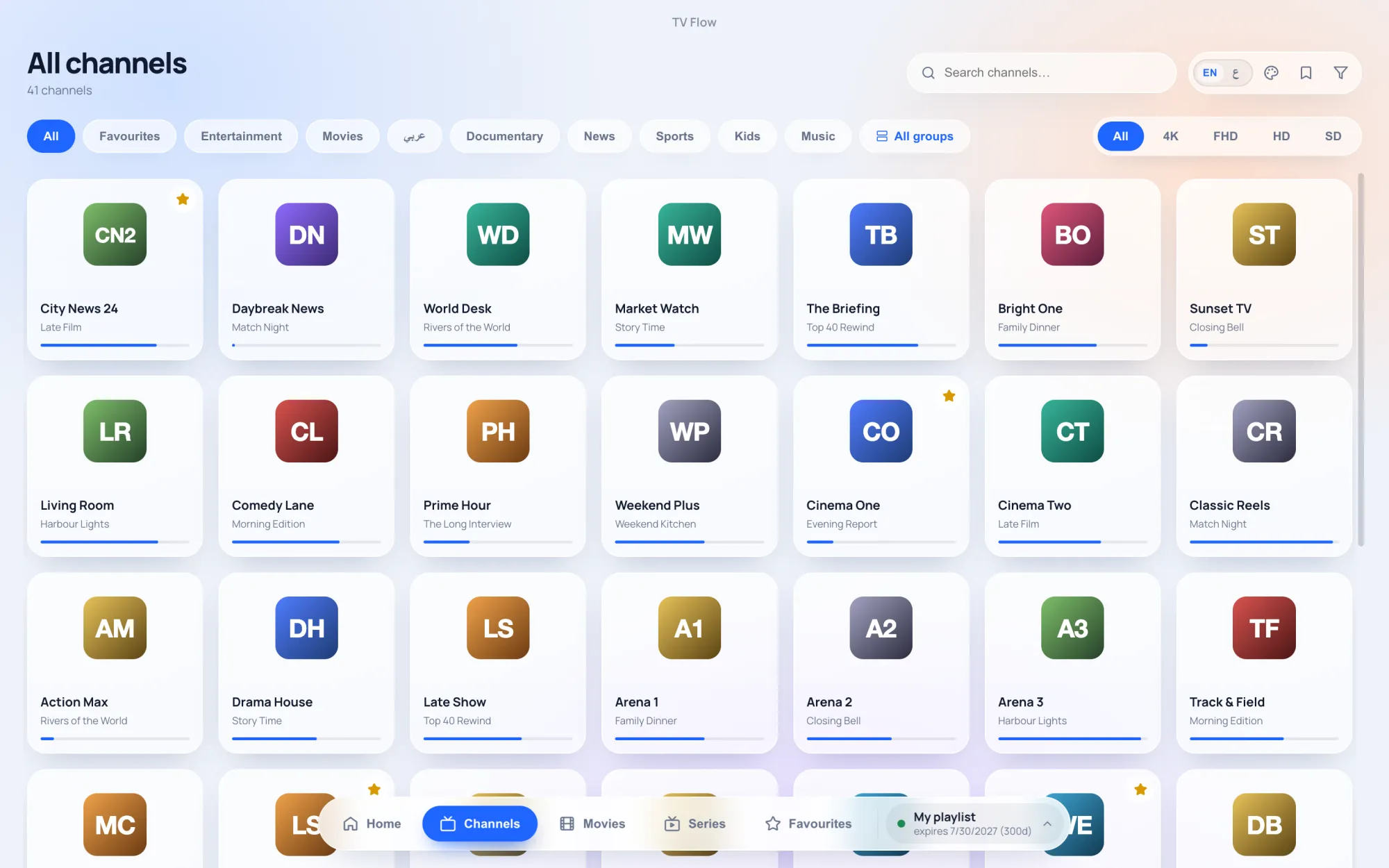
Moving from Smarters to TV Flow
Nothing has to be exported. Use the same details you typed into Smarters: the server address, username and password of your Xtream login, or your M3U link. Install TV Flow, choose “Add playlist”, paste them, and the channels, films and series load. You can keep both apps installed while the three-day trial runs, and compare them on your own list.