
Is there a TiviMate for Windows or Mac?
No. TiviMate’s own Google Play listing describes it as designed for Android TV and “not optimized for touch devices such as phones or tablets”. Its developer, Armobsoft FZE, publishes no Windows, macOS or iOS version. Websites that offer a “TiviMate for PC” download are either describing an emulator or are not connected to the developer.
What running it in an emulator means
An Android emulator is a program that pretends to be an Android device inside a window. TiviMate can be installed in one, and people do. Before you spend an evening on it, know what you get:
- An interface built for the arrow keys of a remote, driven with a mouse and keyboard it was not designed for.
- A second system running on top of yours, taking memory and battery, with video decoded inside it.
- An unofficial setup: if something breaks after an update, neither the emulator’s maker nor TiviMate’s supports the combination.
TV Flow and TiviMate, side by side
| TV Flow | TiviMate | |
|---|---|---|
| Runs on | Mac (Intel and Apple silicon, macOS 11 or later) and Windows 10/11, as a desktop program | Android TV only. Its store listing says it is not optimised for phones or tablets |
| Price | $19.99 once, for life, after a free three-day trial | Free, with a paid Premium (the store shows purchases from $0.99 to $33.99) |
| Playlists it opens | M3U link or file, Xtream Codes login | M3U, Xtream Codes, Stalker portal |
| Stalker / MAC portals | No | Yes |
| TV guide | Now and next on each channel (Xtream logins); no full grid | Yes, a full guide |
| Catch-up | No | Yes |
| Recording | No | Yes |
| Setting it up | Install, paste the link or login, watch | On a computer: install an Android emulator, then the app inside it |
What TiviMate does that TV Flow does not
We would rather you knew this before downloading. TiviMate has a full programme guide laid out as a grid, catch-up, recording, several channels on screen at once, and support for Stalker portals. TV Flow has none of those. It shows what is on now and next on each channel when you use an Xtream login, and that is the extent of its guide.
If those features are the reason you love TiviMate, the honest advice is to keep using it on an Android TV device.
What TV Flow gives you on a computer
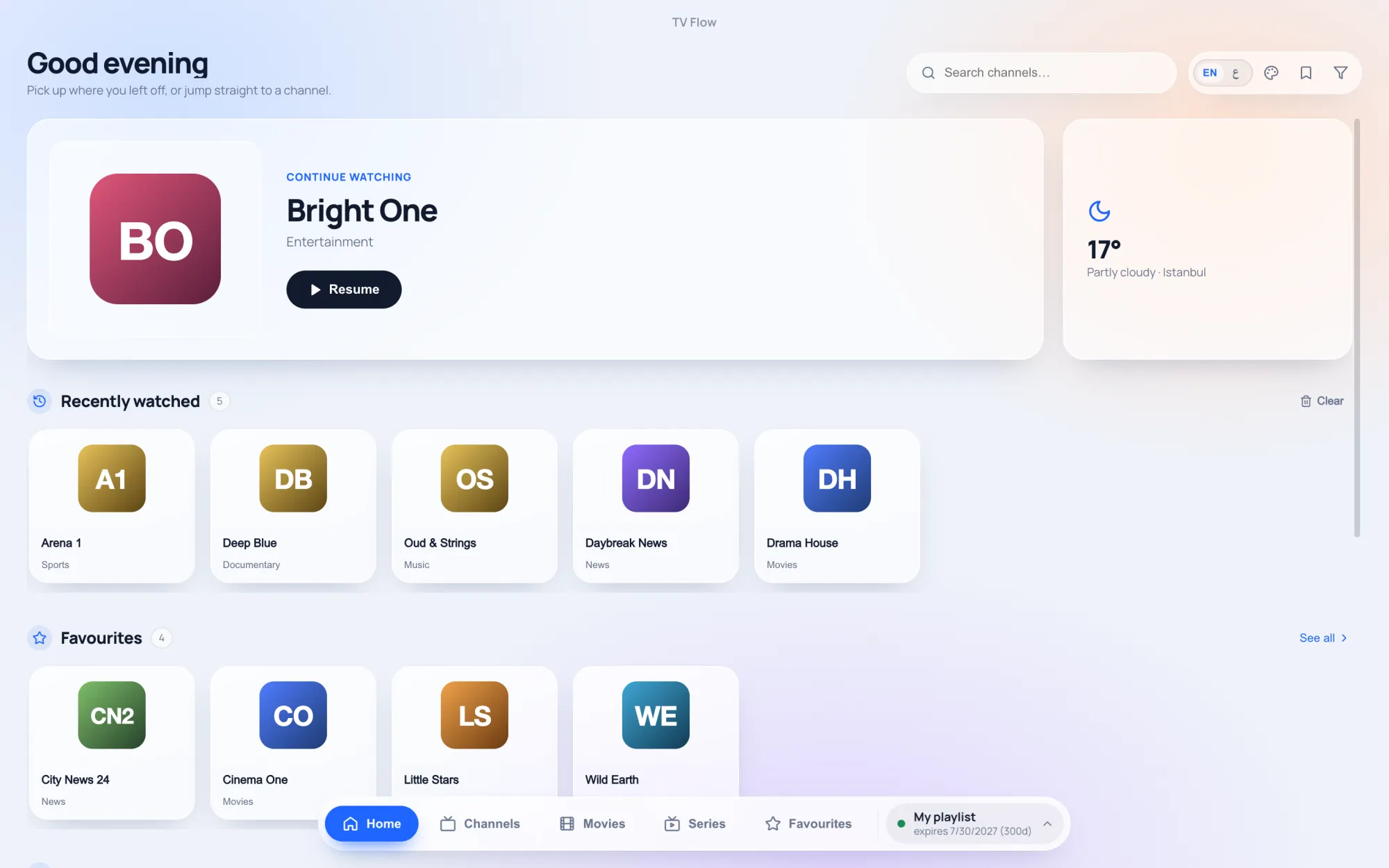
- A real Mac and Windows program. Download, open, done. No emulator, no Android account.
- Mouse and keyboard first. Instant search over the whole list, groups in a sidebar, favourites, and your own collections of channels.
- Films and series as a library, with posters and ratings, series by season and episode, and a “continue watching” row on the home screen.
- The same sources. Your M3U link or your Xtream Codes login works exactly as it does in TiviMate.
- Arabic or English, with a full right-to-left layout.
- One price. $19.99 once for one computer, after a free three-day trial.
Using both
Many people end up with TiviMate on the television and a desktop player on the laptop. The two do not interfere: each simply signs in to your provider with the same details. The only limit is your provider’s, which decides how many devices may play at the same moment.