How to open an M3U playlist in VLC
- Windows: Media → Open Network Stream (Ctrl+N), paste the M3U link, press Play. Show the list with View → Playlist (Ctrl+L).
- Mac: File → Open Network (⌘N), paste the link, press Open. Show the list with Window → Playlist.
- A file: drag the
.m3ufile onto the VLC window.
That is the whole setup, and for a list of a few dozen channels it is hard to beat.
Where VLC stops being comfortable
- One flat list. The groups your provider defined are not shown, so news, sport, films and every episode of every series sit in a single column that you scroll or search by name.
- No programme guide. VLC’s guide works with broadcast tuners, not with the guide address inside an M3U playlist, as its developers have explained on the VideoLAN forum.
- No Xtream Codes login. VLC takes a link or a file. If your provider only gives a server, username and password, you have to build the M3U link yourself (our guide to M3U and Xtream Codes shows how).
- No memory of you. No favourites for channels, no “continue watching”, no parental lock, no hiding of channels that are down.
- Big lists are slow. A playlist with tens of thousands of entries takes a while to load each time and makes the playlist window sluggish.
TV Flow and VLC, side by side
| TV Flow | VLC | |
|---|---|---|
| Runs on | Mac (Intel and Apple silicon, macOS 11 or later) and Windows 10/11, as a desktop program | Windows, macOS, Linux, Android, iPhone, iPad, Apple TV |
| Price | $19.99 once, for life, after a free three-day trial | Free and open source |
| Playlists it opens | M3U link or file, Xtream Codes login | M3U link or file |
| Stalker / MAC portals | No | No |
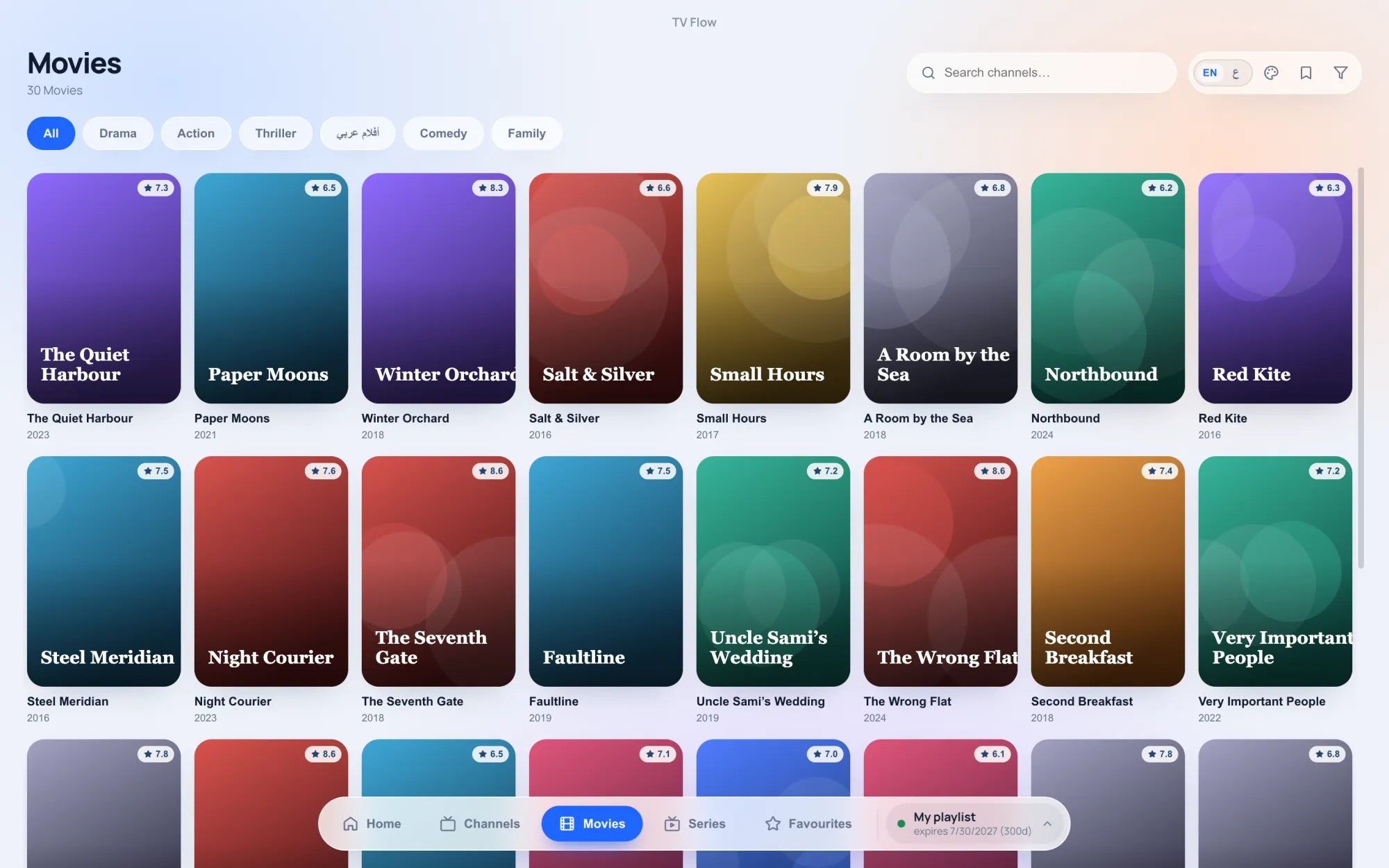
| Films and series | A library with posters and ratings; series by season and episode | No library: films and episodes are lines in the same list |
| TV guide | Now and next on each channel (Xtream logins); no full grid | Not for M3U playlists |
| Catch-up | No | No |
| Parental lock | PIN lock for groups and collections | No |
| Ads | None | None |
What VLC does better
It is free, open source, and has no ads or tracking. It runs on nearly every system, including Linux and phones. It plays local files in almost any format, and it is maintained by a non-profit that has been doing this for more than twenty years. If cost matters most, or your list is small, stay with VLC.
What TV Flow adds
- Your groups, as groups. Channels arrive sorted the way your provider arranged them, with logos, instant search, favourites and collections you build yourself.
- Films and series as a library. Posters, ratings, categories, and series opened by season and episode instead of hundreds of lines named S01E01.
- Xtream Codes login. Type the server, username and password; no link to assemble.
- What is on now and next on each channel, with an Xtream login.
- A cleaner list. Channels that would not play are hidden, and a quality filter trims repeats of the same channel.
- Tuned for live streams. Three buffering profiles, from smooth to low delay, and the option to set the User-Agent some providers require.
TV Flow costs $19.99 once, after a three-day free trial, and it runs on Mac and Windows only.